
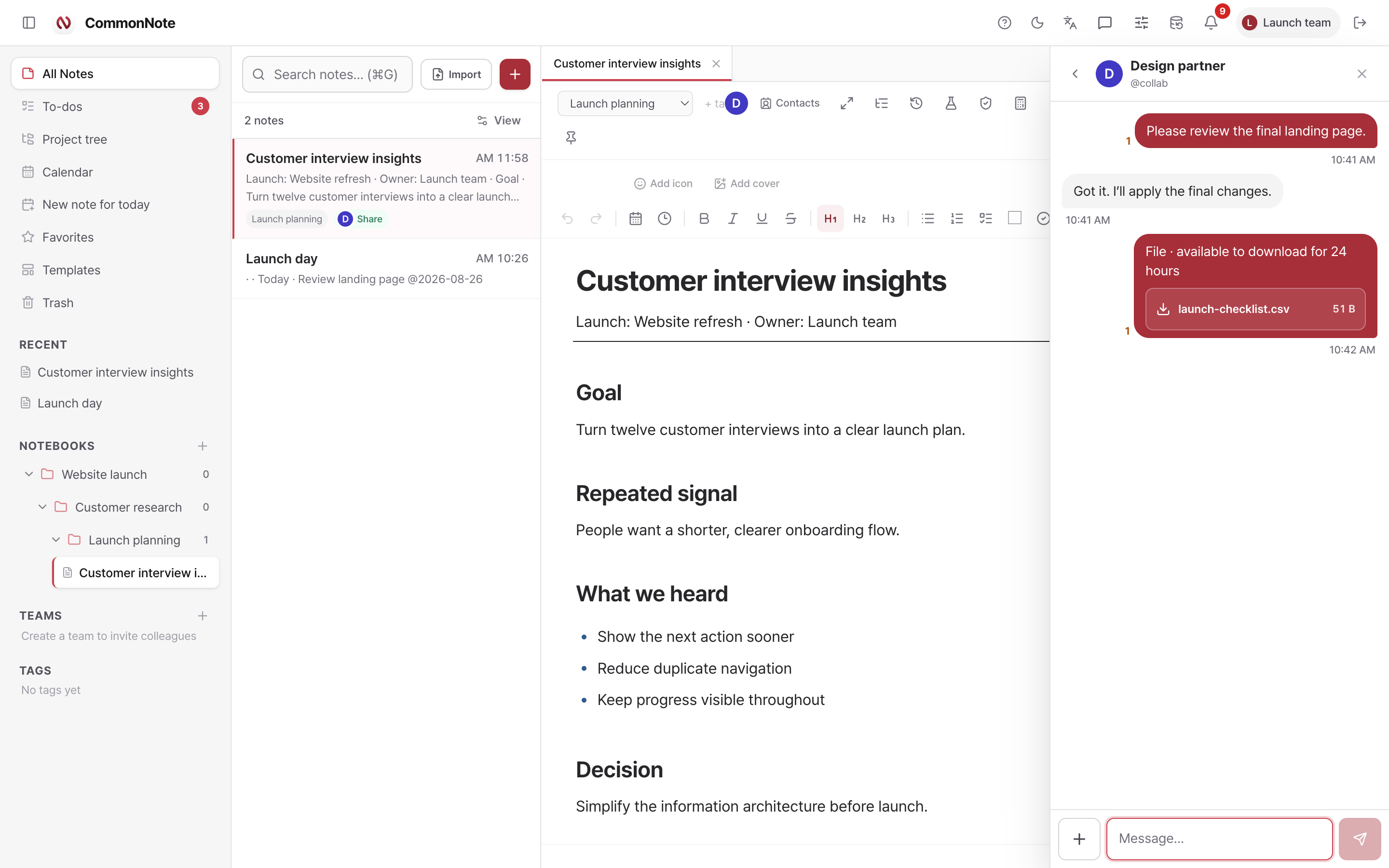
MESSAGES + FILE COURIER
Talk beside the source.
Direct and team messages, a visible + file action, uploads up to 200 MB, progress, download records, and automatic file-byte cleanup after 24 hours.
Messaging guide →Features
One source note feeds the editor, hierarchy, map, tasks, schedule and conversation. Jump to the chapter you need.
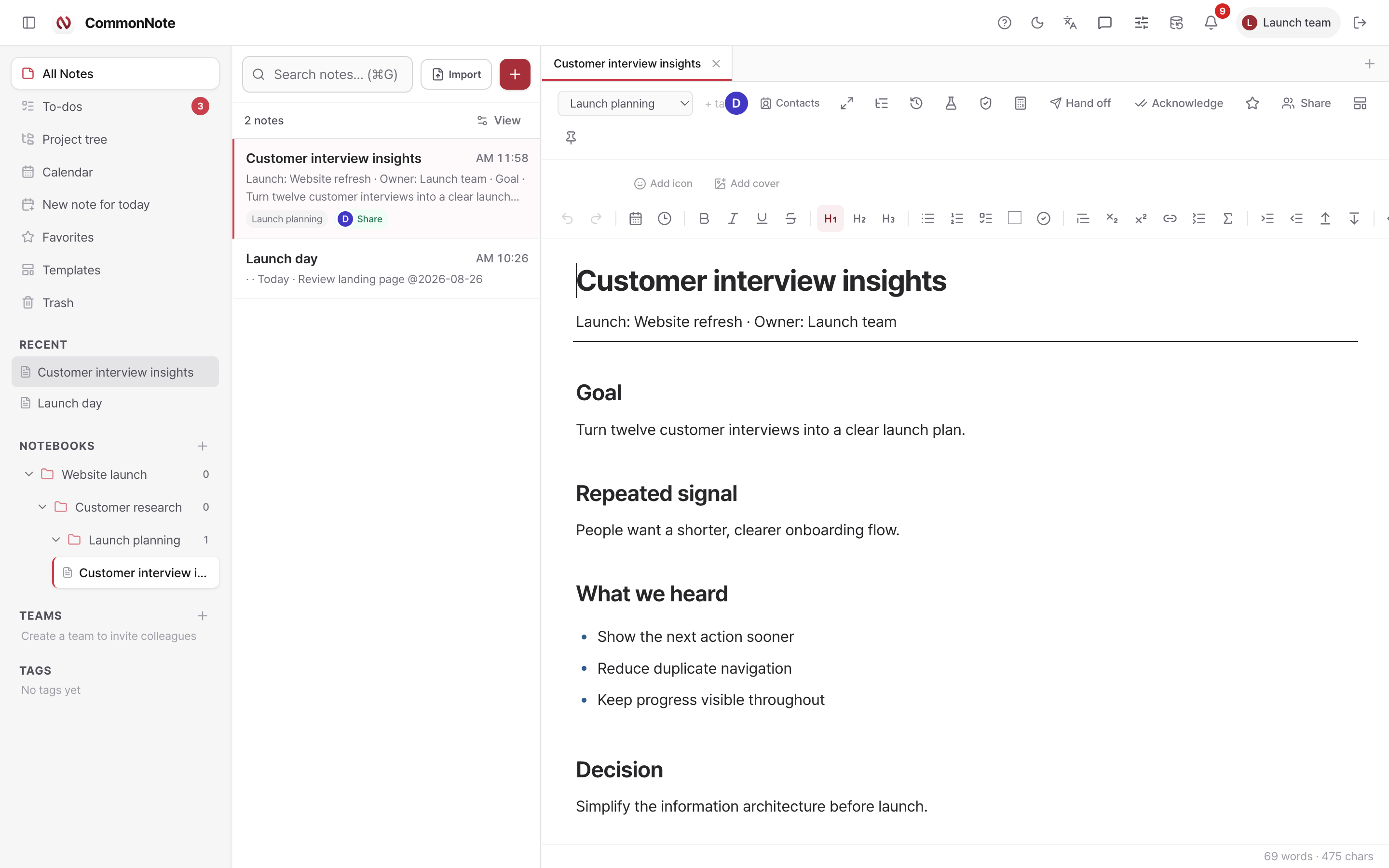
WRITE THE DETAIL. KEEP THE SOURCE.
Start with plain text or Markdown. Add headings, checklists, tables, files, figures, equations, colors, icons, and comments only when the work asks for them.
SWITCH VIEWS. KEEP THE CONTEXT.
See the same tasks and notes as a hierarchy, a relationship map, action cards, a structured table, or a calendar. Every view points back to where the work began.
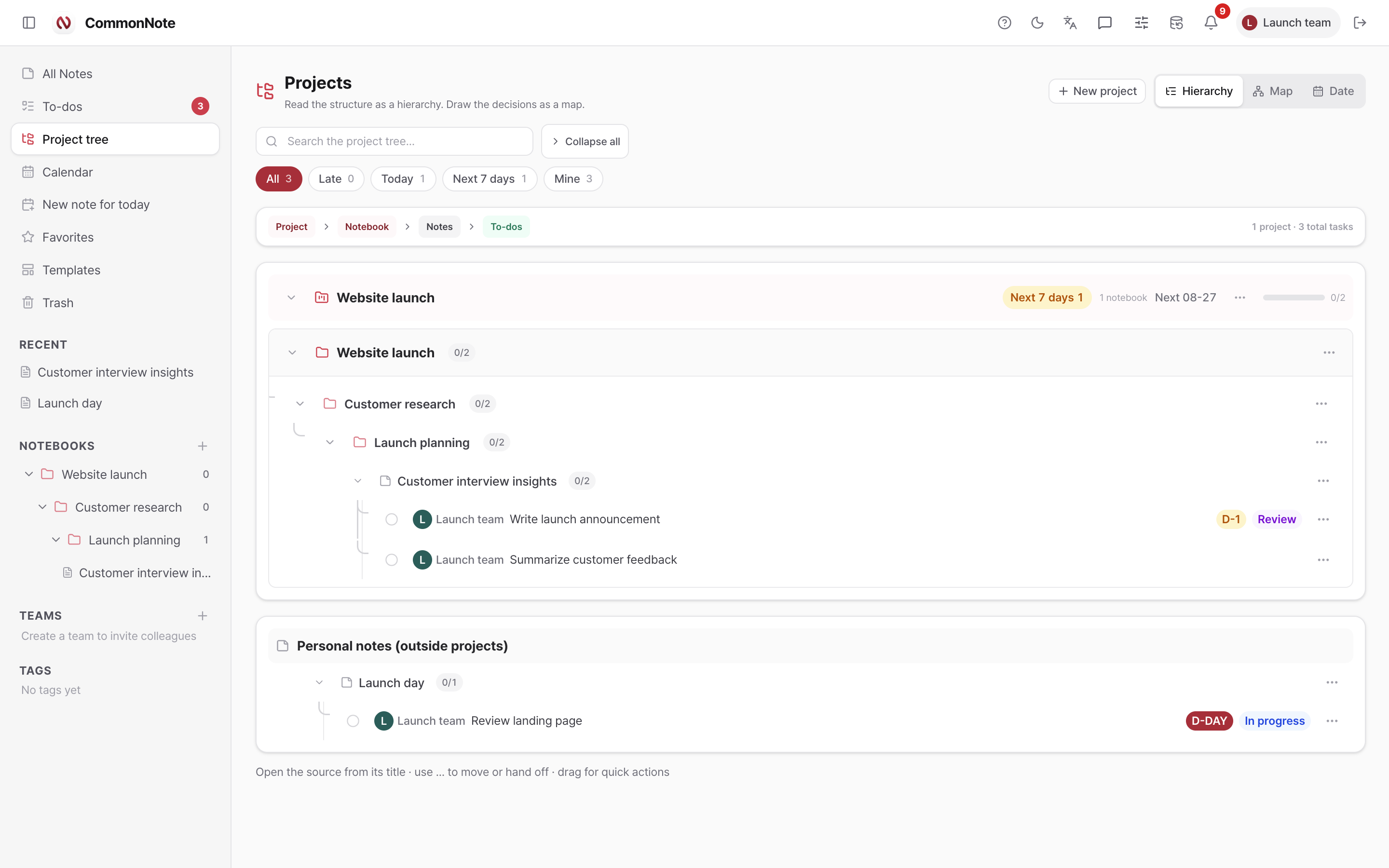
Project → notebook → note → task, with live completion, owner, due date, status, filters, and direct source navigation.
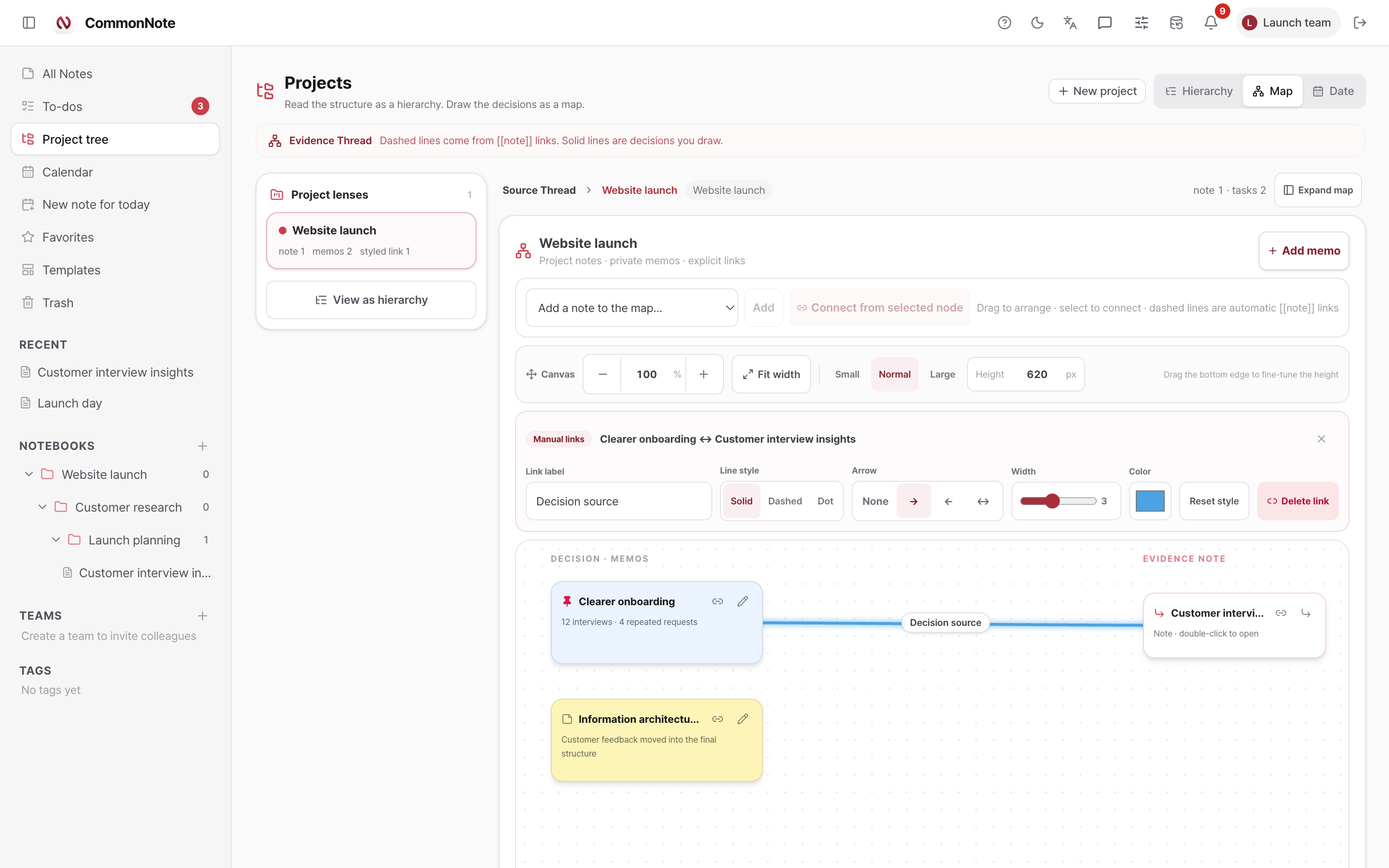
Arrange notes and private memos, then style explicit links with labels, solid or dashed lines, arrows, width, and color.
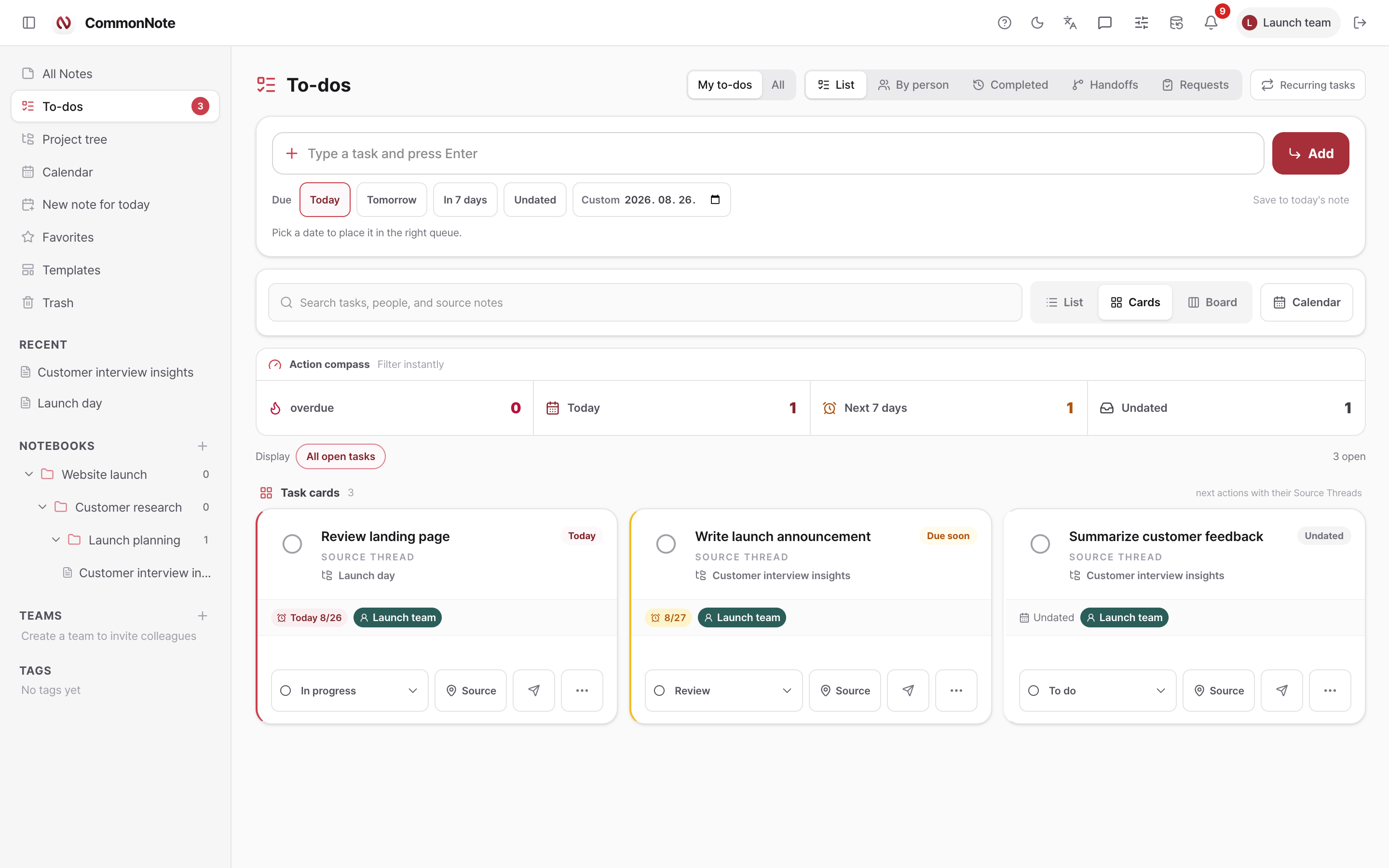
List, cards, and boards preserve the Source Thread while adding owners, custom status, due dates, repeats, handoffs, and reviews.
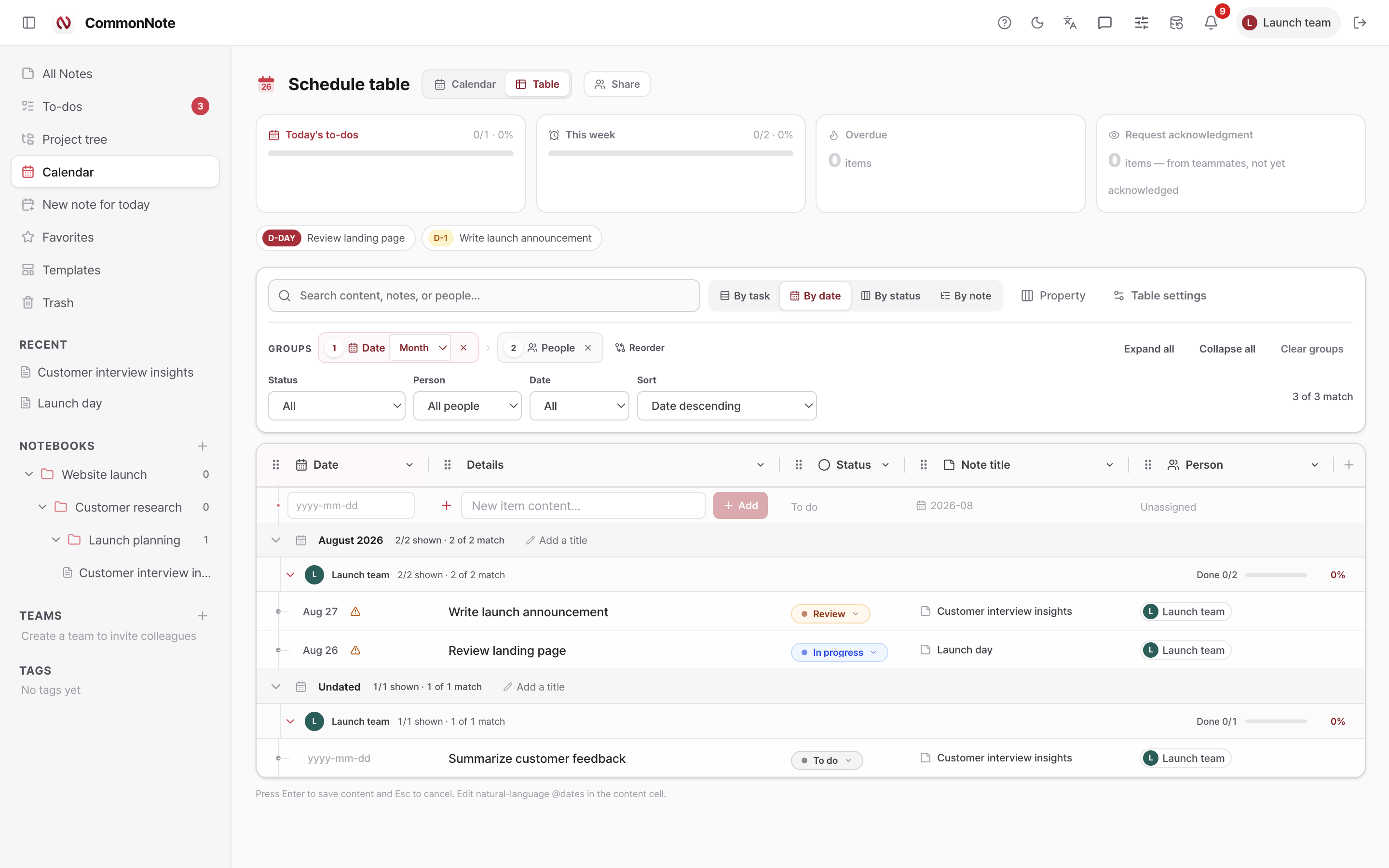
Reorder and resize columns, nest groups, filter, sort, calculate, and add typed properties without detaching the task from its note.
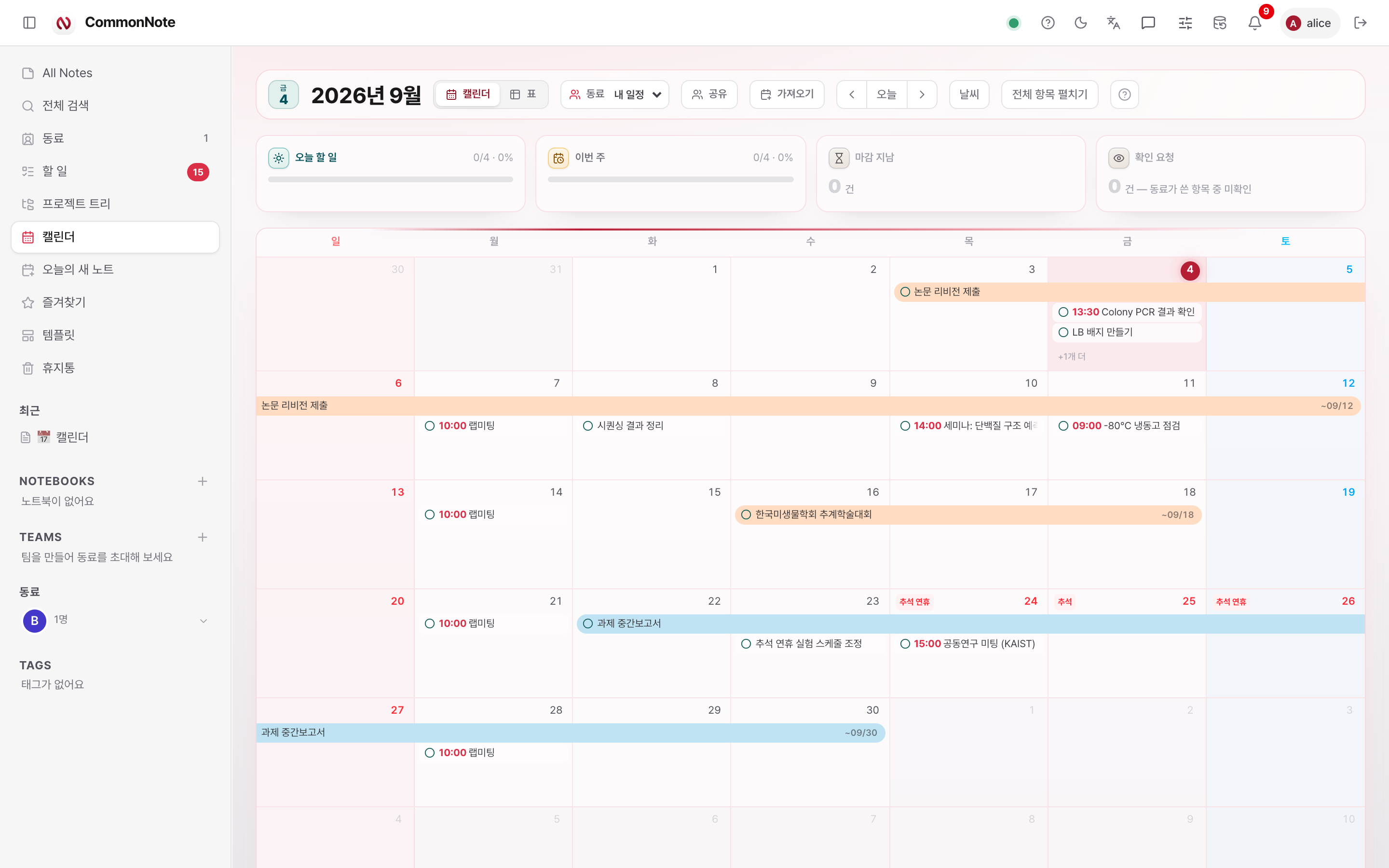
Month view, range bars that show their end date, D-Day, today and week progress, weather, quick add, and natural-language due dates share one schedule. Apple Calendar events drop straight in.
FROM THE MORNING DIGEST TO THE NOTCH.
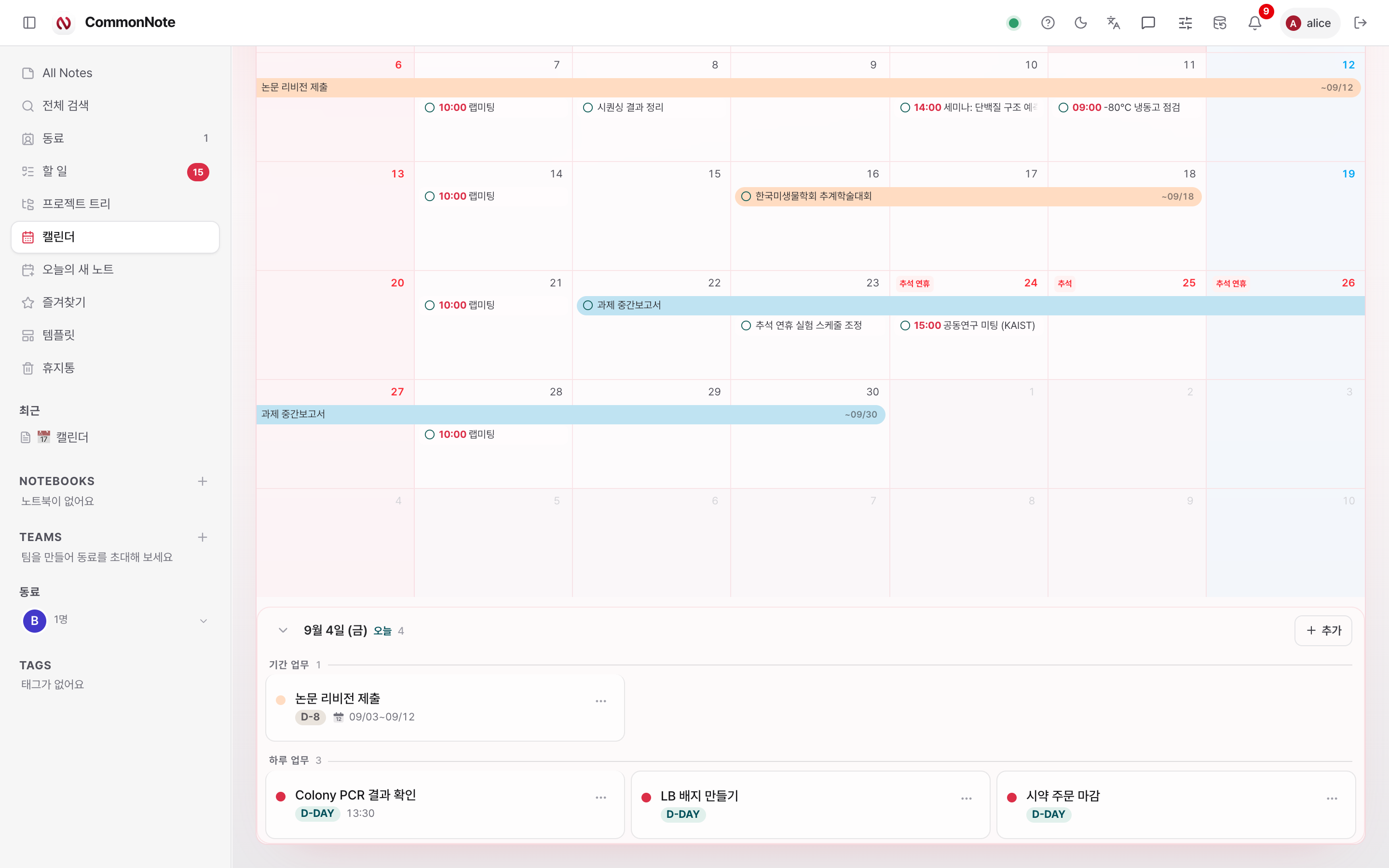
The day starts without opening the calendar. Today's schedule arrives as a push at the time you choose, and on a Mac the notch and a desktop widget show your progress. Click any date and its board opens, split into multi-day and single-day work.
IMPORT, LINK, DELEGATE.
Drop in an Apple Calendar .ics file or an iCloud subscription link: recurring events are expanded into the calendar note, and re-importing never duplicates them. Reusable phrases become snippets. Scripts and AI agents read and write notes through the Markdown API.
/ menu or type ;shortcut and a space to expand it in place.curl -H "Authorization: Bearer cnk_…" \
-H "Accept: text/markdown" \
https://commonnote.app/api/v1/notes/<note-id>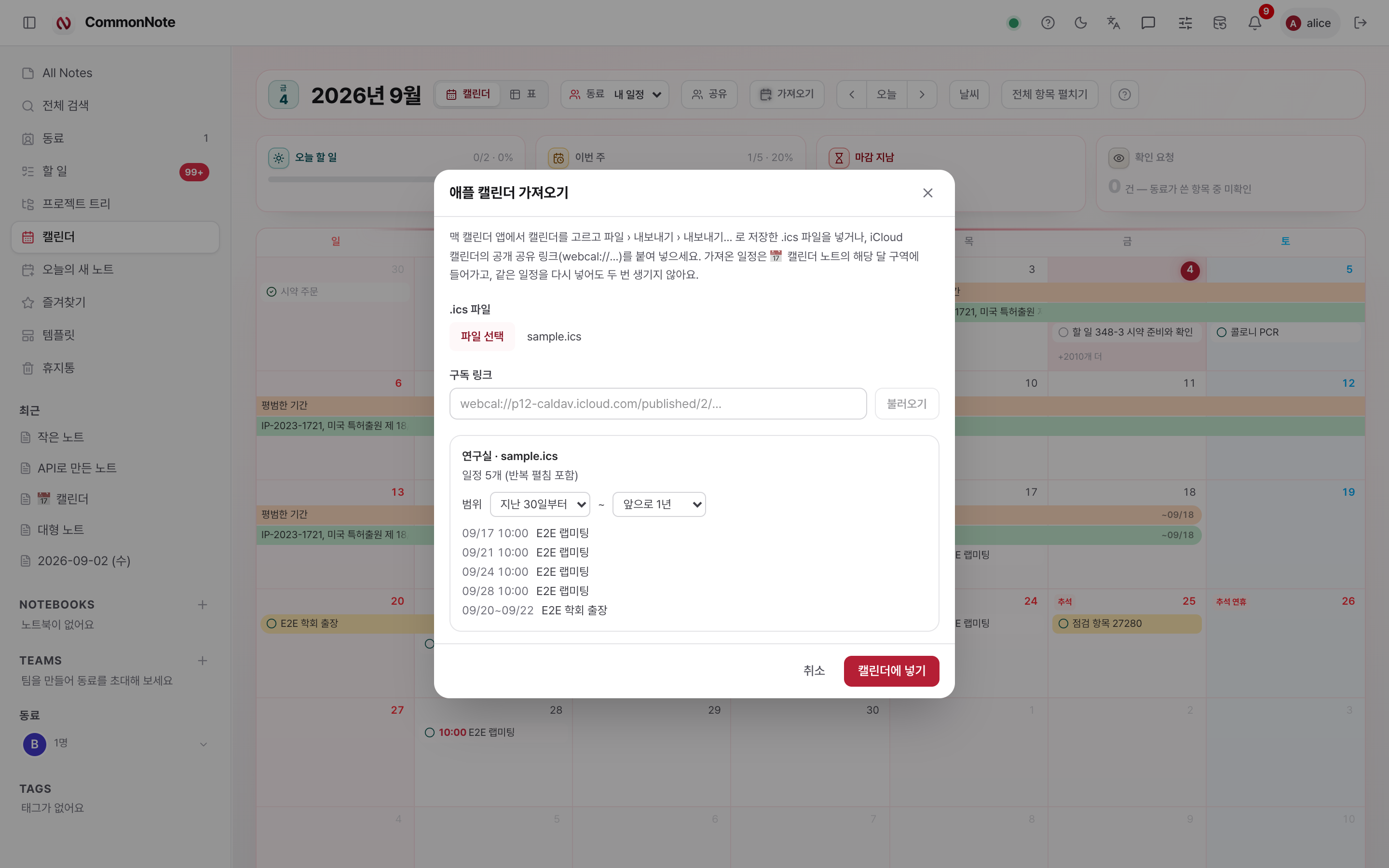
HAND OFF THE WORK, NOT JUST A MESSAGE.
CommonNote connects the conversation to the note and the task, so a teammate can act without reconstructing the background.
Direct and team messages, a visible + file action, uploads up to 200 MB, progress, download records, and automatic file-byte cleanup after 24 hours.
Messaging guide →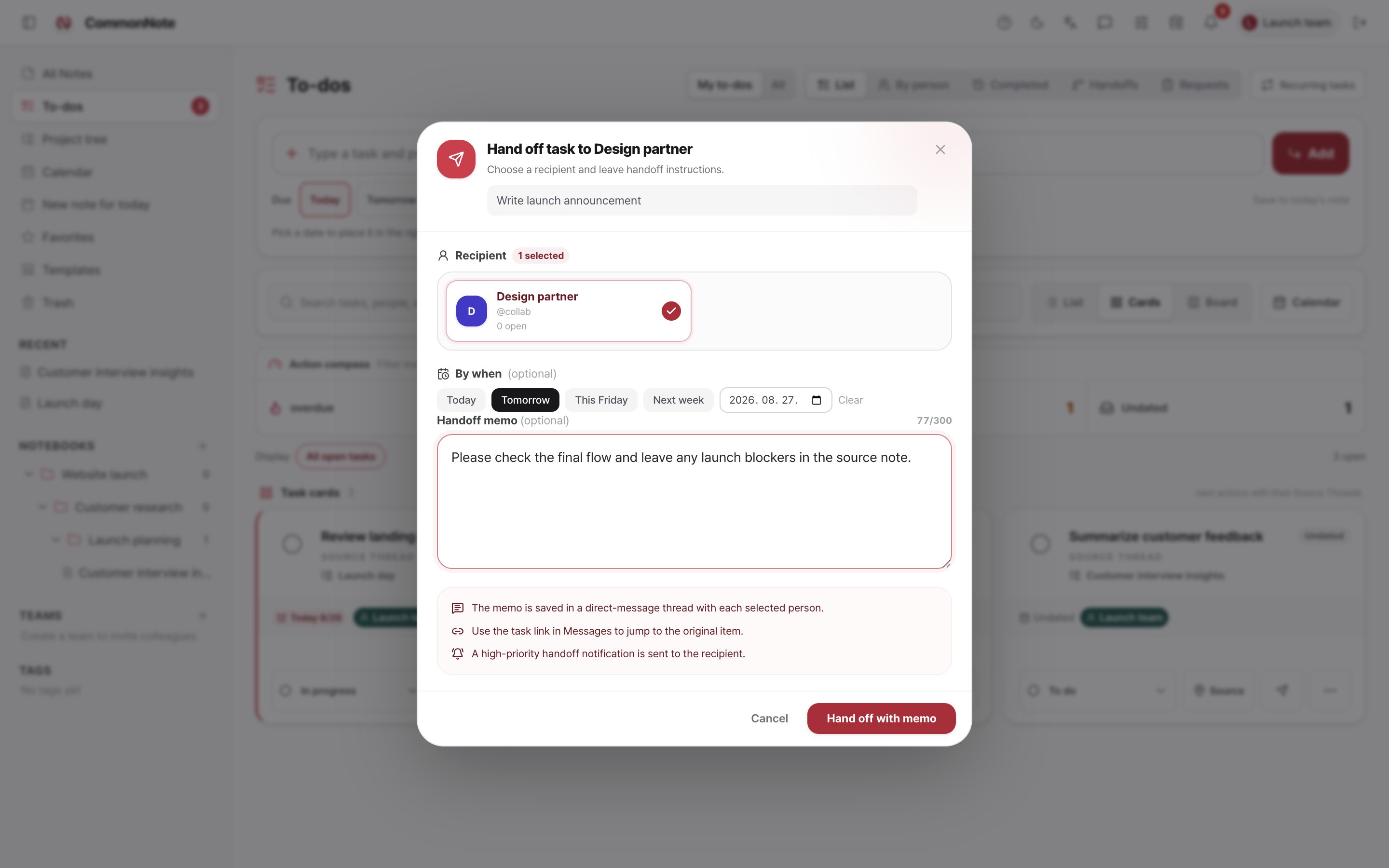
Choose the recipient, deadline, and handoff memo. The teammate gets a high-priority notification, a message thread, and a direct path back to the original task.
Handoff guide →See who is in the note, where they are editing, who wrote each block, and what changed across versions.
DEEP WHEN YOU NEED IT. QUIET WHEN YOU DO NOT.
Every layer is there to remove a handoff, a duplicate entry, or an avoidable loss of context.
FIND THE FEATURE. FINISH THE TASK.
Search every workflow, follow exact menu paths, compare views, learn shortcuts, and troubleshoot without guessing which feature name to look for.